
Steps
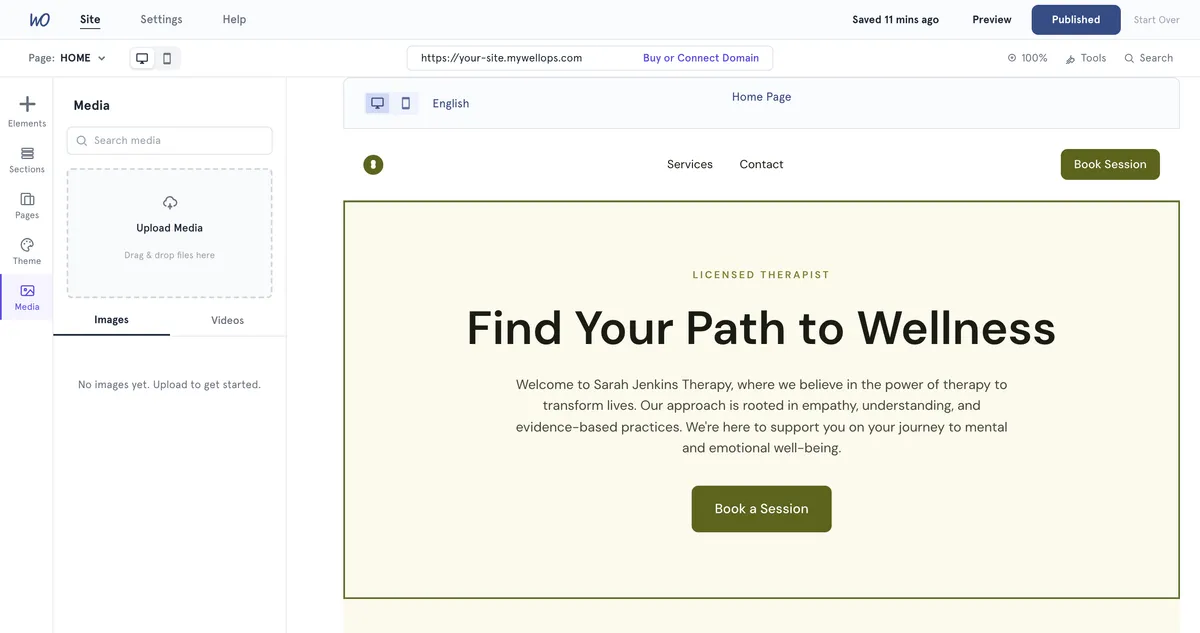
- Open Website Builder and select Media in the left bar.
- To upload, select the Upload Media box and choose files, or drag files onto it. You can add several at once.
- Switch between Images and Videos to see each kind. Use Search media to find a file by name.
Place an image on a page Select the image, then select Add to page at the bottom of the panel. You can also double-click the image, or drag it onto the page. It lands as an image you can move and resize.
Make an image your Hero image If the page has a Hero section, select the image, then Use as Hero image. The image in use shows In use. Select Undo if you change your mind.
Use a video Add a Video section to the page. In the media library, open the video’s menu and choose Download. The file opens in a new tab. Copy that tab’s address and paste it into the section’s Video link.
Rename, download or delete a file Hover over the file and select the three dots. Choose Rename, Download or Delete. Deleting can’t be undone.
To delete several files at once, select each one. At the bottom of the panel, select the delete button, for example Delete 3, and confirm. Clear deselects them.
What you can upload
- Images: JPEG, PNG, WEBP or GIF, up to 10 MB each.
- Videos: MP4, WebM or MOV, up to 50 MB each.
Storage
Every file you upload counts towards your account’s storage. In Settings → Storage, images show under Media & attachments and videos under Video recordings. Deleting a file frees its space. When your storage is full, an upload that doesn’t fit can be refused.
Good to know
- Names can use letters, numbers, hyphens and underscores, up to 80 characters. Other characters, such as spaces, become underscores.
- Image fields inside a section have their own Upload button. Images added that way don’t appear in the media library.
- Before you delete a file, check it isn’t still on one of your pages. Deleting removes it everywhere.
Troubleshooting
My upload failed. Check the file type and size against the lists above. A message under the upload box says what went wrong.
I placed a video and it doesn’t play. Videos placed straight from the library are added as images, so they can’t play. Delete it and use a Video section instead, as described above.
I can’t find an older file. The library shows your newest 100 files in each tab. Type part of the name into Search media.